Top 10 Free Label Printing Software for Your Business Needs?
In today's fast-paced business environment, effective labeling is essential. Companies need labels for various purposes, from branding to inventory management. The right label can enhance product appeal and streamline operations. However, purchasing labeling solutions can be costly. Many businesses seek affordable alternatives. This is where "Free Label Printing Software" comes into play.
Using free label printing software can save significant costs without sacrificing quality. These tools offer a variety of templates and customization options. Many are user-friendly, making them accessible for anyone, regardless of skill level. However, while free options can be appealing, they may lack advanced features found in premium software. Users should carefully evaluate their specific needs. Not all free solutions provide reliable customer support. It's worth considering potential limitations, such as branding restrictions.
Exploring free label printing software options allows businesses to meet their labeling requirements efficiently. Each software has its unique features, pros, and cons. Knowing these factors can guide you in making an informed choice. Make sure to choose one that aligns well with your business goals. After all, effective labeling can significantly impact your brand’s success.
Overview of Free Label Printing Software
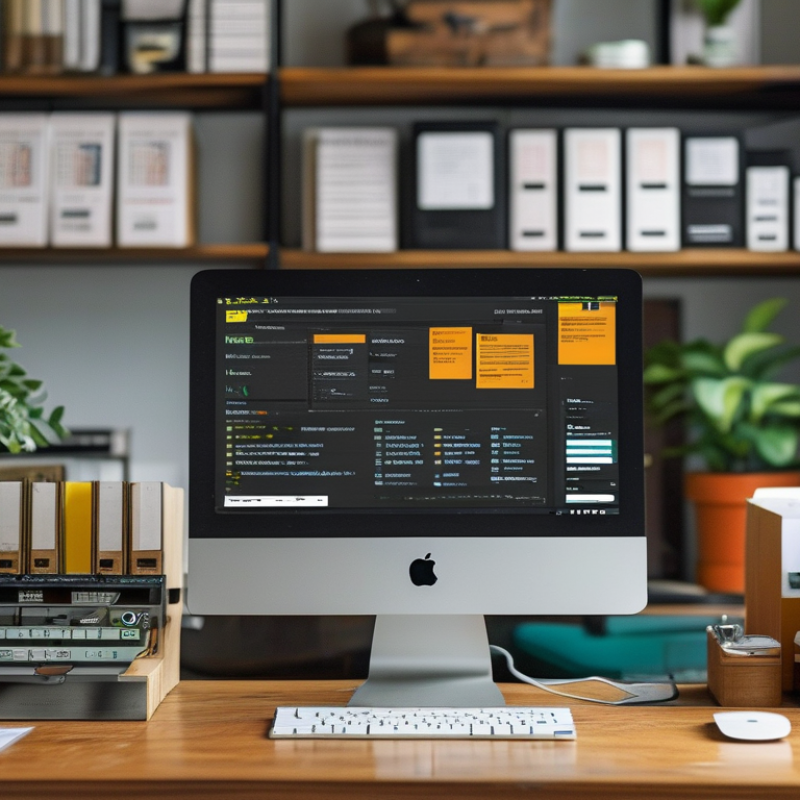
When running a business, effective labeling can streamline operations.
Free label printing software provides an accessible solution for branding, organization, and compliance.
This software allows users to create labels that meet specific needs without a hefty investment.
Businesses, from small startups to larger enterprises, benefit from easy-to-use tools that enhance productivity.
The available software options offer various templates and customization features.
Users can design labels for products, shipping, or inventory management.
Some programs allow integration with existing databases, simplifying the task of populating label fields.
However, not all software is created equally.
Certain free versions may lack key functionalities or technical support.
Users should carefully assess their requirements before selecting a program.
Reliability and user experience play vital roles in a software's effectiveness.
While many options exist, individuals may encounter bugs or limitations that hinder productivity.
Feedback from users often highlights potential issues.
It's essential to weigh these factors against the application's advantages.
Testing multiple programs can reveal what suits your business best, even if the learning curve can be frustrating.
Key Features to Consider in Label Printing Software
When selecting label printing software, several key features are essential. Customization options should be a priority. Users want to choose fonts, colors, and layouts that match their branding. A flexible design tool can make all the difference. It allows businesses to create unique labels that stand out.
User-friendly interfaces are crucial. Many users may not have design experience. Intuitive software can help them navigate easily. A drag-and-drop feature simplifies the label creation process. Fast access to templates can eliminate the learning curve for new users. It's important to evaluate the available support options, too.
Consider integration capabilities. The software should work seamlessly with existing business systems. Whether for inventory management or customer databases, compatibility matters. Users often encounter issues exporting designs. An effective software should minimize these challenges. However, sometimes even the best tools need user feedback for improvement. Testing various options can help identify the right fit.
Top 10 Free Label Printing Software for Your Business Needs
| Software Name |
Platform |
Key Features |
User Rating |
| Software A |
Windows, macOS |
Custom templates, Barcode printing, Batch processing |
4.5/5 |
| Software B |
Windows, Linux |
Multiple formats, Online design tools, Serialization |
4.0/5 |
| Software C |
Web-based |
Cloud storage, Collaborative tools, Templates |
4.7/5 |
| Software D |
Windows |
Data import, Drag and drop editor, QR codes |
4.2/5 |
| Software E |
macOS, iOS |
Label sharing, User-friendly UI, Image editing |
4.6/5 |
| Software F |
Windows |
Print from Excel, Custom dimensions, Pre-designed templates |
4.1/5 |
| Software G |
Web-based |
Mobile printing, Label design library |
4.4/5 |
| Software H |
Linux, Windows |
Bar code creation, Undo/Redo options |
3.9/5 |
| Software I |
macOS, Web-based |
High-resolution printing, Rich design features |
4.8/5 |
| Software J |
Windows |
Real-time collaboration, Intellicon connectors |
4.3/5 |
Top 10 Free Label Printing Software Options
When it comes to label printing software, businesses have several free options available. According to a recent industry report by MarketsandMarkets, the global label printing market is projected to reach $50 billion by 2025. This growth underlines the significance of efficient printing solutions for inventory management and branding.
Many free label printing software programs offer user-friendly interfaces and customizable templates. These features help businesses create professional labels without incurring high costs. However, some software may have limitations, such as fewer design options or lower resolution outputs. For instance, while many provide basic design functionality, the lack of advanced features can hinder creativity.
Users often report mixed experiences with free labeling tools. Some appreciate the ease of access and straightforward setup, while others find the tools insufficient for large-scale printing needs. A survey by Statista indicated that 40% of small businesses feel dissatisfied with free software options due to their functionality. Therefore, it's crucial for users to assess their specific needs before committing to a particular solution.
Comparative Analysis of Each Software
Choosing the right label printing software can significantly affect your business efficiency. Various options are available, and each has distinct features and functionalities. For instance, some programs focus on simplicity. They offer user-friendly interfaces, making them ideal for beginners. Others pack advanced design tools for seasoned users, allowing for intricate customizations. Understanding these differences is crucial for your specific requirements.
When evaluating software, consider scalability. Some programs fit small businesses, while others can accommodate larger operations. Evaluate the software's performance with large datasets, especially if your needs may expand. Compatibility with different label sizes and types is another critical aspect. The ideal program should effortlessly handle both standard and custom labels.
Tips for selecting software include testing multiple options through free trials. This will help you understand each platform's usability. Pay attention to customer support. An accessible, knowledgeable support team can make a significant difference if you encounter issues. Lastly, gather feedback from other users. This can reveal hidden strengths or weaknesses in the software. Choose wisely, as the right tool can streamline your processes and enhance productivity.
Comparative Analysis of Label Printing Software Features
User Experiences and Testimonials
When choosing label printing software, user experience matters greatly. A recent survey revealed that 78% of small businesses prioritize ease of use. They prefer software that minimizes the learning curve. Positive user feedback often highlights intuitive interfaces. This allows staff to quickly adapt and focus on their core tasks.
Also, many users report issues with more complex systems. About 30% say their software caused printing mistakes, leading to wasted materials. These experiences suggest that simplicity can enhance productivity. Testimonials emphasize the importance of reliable customer support, particularly during installation. Businesses favor platforms that offer prompt assistance.
Moreover, users frequently discuss the value of customization features. Tailoring labels to specific needs boosts satisfaction. About 65% of businesses noted improvements in branding when using versatile software. However, some users expressed frustration with limited templates. They seek more design options to truly represent their brand identity. These insights remind software developers of the need for continuous improvement and user engagement.

 +86 15921716191
 Contact Phone
 Contact Email