Leave Your Message

5 Tips for Choosing a Label Printer for Small Business?

Choosing the right Label Printing Machine For Small Business can influence daily efficiency, product presentation, and customer trust. A bakery may need waterproof labels for chilled jars. An online seller may require hundreds of shipping labels each week. These needs are different.

Industry data shows why this decision deserves care. Grand View Research reported continued growth in the global digital label printing market, supported by short production runs, customization, and faster turnaround. Smithers also identifies digital printing as an important force in modern label production, especially for brands seeking flexible quantities and variable designs. However, broad market reports do not know your workspace, budget, or printer habits. That gap matters.

This guide presents five practical tips for selecting a suitable machine. It considers print quality, media compatibility, speed, operating cost, and software integration. A retailer printing 30 labels daily should not automatically buy the same equipment as a manufacturer printing 3,000. That sounds obvious, yet businesses often compare machines by purchase price alone. A cheaper printer can become expensive through specialized cartridges, wasted rolls, or frequent maintenance.

Look closely at real tasks. Will labels face moisture, heat, sunlight, or freezer temperatures? Can the printer handle your preferred roll width and adhesive stock? Independent testing, manufacturer specifications, warranty terms, and user feedback provide stronger evidence than attractive product images. There is no perfect choice. Still, a careful evaluation can reduce reprints, delays, and avoidable frustration.
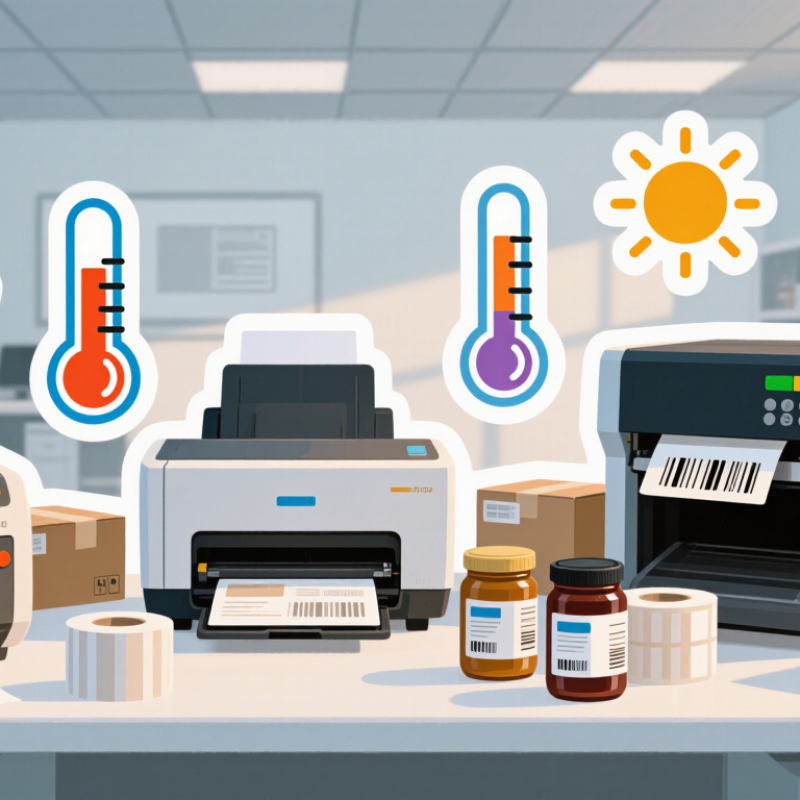
5 Tips for Choosing a Label Printer for Small Business?

Define Your Labeling Needs and Daily Printing Volume

Choosing a Label Printer for Small Business: Define Your Labeling Needs and Daily Printing Volume

Tip 1: Map every label before shopping. Product labels, shipping labels, shelf tags, and compliance labels need different sizes and materials. A small retailer may print 80 product labels daily but only 15 shipping labels. Those jobs should not be treated alike. Measure your widest label, longest text, and required barcode size. Test readability under ordinary store lighting. It sounds minor.

The 2023 Parcel Shipping Index recorded 161.8 billion parcels worldwide in 2022. That volume shows why shipping workflows can quickly overwhelm manual labeling. Estimate your average daily output, then record your busiest week. Add seasonal demand from promotions or holidays. A printer rated for 2,000 labels daily may be unnecessary for a shop printing 100. However, buying too close to your average can create delays. I have seen teams underestimate reprints, setup labels, and damaged stock. That estimate deserves a second look.

Tip 2: Match print technology to label frequency and detail. Direct thermal printing suits short-term shipping labels and avoids ink purchases. Thermal-transfer printing generally performs better for durable product labels, outdoor storage, or frequent handling. Tip 3: Check the full workflow, not only printer speed. Confirm software compatibility, label-roll availability, cutter needs, connection options, and replacement costs. Industry usability research consistently links barcode quality with reliable scanning, but a fast printer cannot fix poor label design. Print a real sample using your smallest text, longest product name, and darkest barcode. Then inspect it after handling.

5 Tips for Choosing a Label Printer for Small Business? - Define Your Labeling Needs and Daily Printing Volume

Business Labeling Need Typical Daily Volume Recommended Print Technology Useful Resolution Common Label Width Important Features Selection Priority
Address and shipping labels
Parcel identification, return addresses and carrier information
1–100 labels Direct thermal 203 dpi is generally suitable for standard barcodes and text 4 × 6 in (102 × 152 mm) Automatic cutter or tear bar, USB or wireless connection, simple label setup Low cost and easy operation
Product and shelf labels
Prices, stock codes, sizes and product descriptions
50–300 labels Direct thermal for short-term use; thermal transfer for longer durability 203 dpi for normal text; 300 dpi for small text or detailed graphics 1–4 in (25–102 mm) Adjustable print width, gap or black-mark sensing, barcode support Flexible media handling
Inventory and asset labels
Bin locations, equipment IDs and internal tracking
100–500 labels Thermal transfer for labels exposed to abrasion, heat or moisture 300 dpi is useful for compact barcodes and small identification text 0.5–3 in (13–76 mm) Ribbon compatibility, durable media support, reliable barcode printing Durability and data accuracy
Food, retail and temporary labels
Short-term pricing, prepared-food dates and promotional labels
50–250 labels Direct thermal 203 dpi is normally adequate for dates, prices and basic barcodes 1–3 in (25–76 mm) Fast startup, easy roll replacement, compact footprint and accessible controls Speed and convenience
Small-batch branded or compliance labels
Logos, ingredients, warnings and detailed product information
25–150 labels Color inkjet or high-resolution thermal printing, depending on color and durability needs 300 dpi or higher for fine text, graphics and complex symbols 1–4 in (25–102 mm) Color capability, precise media alignment, label-design software and suitable coatings Appearance and design flexibility
High-volume fulfillment or dispatch
Repeated batches of shipping, picking or inventory labels
300–1,000+ labels Industrial or workgroup thermal printer 203 dpi for standard labels; 300 dpi for dense layouts 2–4 in (51–102 mm) Higher print speed, larger media capacity, Ethernet, automatic cutter and replaceable printhead Throughput and uptime

Planning note: Estimate daily volume from your busiest normal day rather than your weekly average. Also confirm label material, adhesive type, maximum label width, software compatibility and whether labels must remain readable under heat, moisture or abrasion.
Choose the Right Printing Technology for Your Business

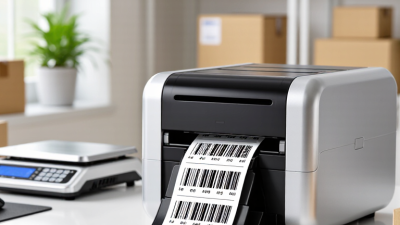
Choosing a label printer for a small business starts with printing technology, not appearance. Your label’s lifespan, material, and environment should guide the decision.

Direct thermal printers use heat-sensitive labels and work well for shipping labels, receipts, and short-term inventory tags. They need no ink or ribbon. However, heat, sunlight, and friction can darken or fade the print.

Thermal transfer printers use a ribbon to create a more durable image. They suit product labels, storage bins, and packaging exposed to moisture or handling.

Inkjet printers can produce detailed color graphics, but they often require coated labels and careful drying time. Laser printers may handle sheet labels efficiently, though they are less convenient for continuous rolls. Test real labels.

My first cost estimate was wrong. The printer was affordable, but replacement media and wasted labels increased expenses. Cheap is not always cheap. Compare the price per label, ribbon usage, maintenance, and expected daily volume. A busy store may need faster output and an automatic cutter. A home-based seller may value compact size and simple connectivity instead.

Request sample materials before buying. Print small text, barcodes, and graphics on the exact label surface. Scan the barcode after rubbing it, bending it, and storing it near heat. Review technical specifications and local labeling requirements. I would not trust a glossy sample alone. A short trial with your actual workflow can reveal noise, delays, and software problems that specifications often hide.

Compare Label Sizes, Materials, and Print Quality

Choosing a label printer for a small business starts with the label, not the machine. Measure your common sizes first. A 2-by-1-inch shipping label needs different handling from a 4-by-6-inch carton label. Also check roll cores, maximum width, and cutting options. Smithers’ 2024 market analysis forecasts digital packaging print to grow from about $22 billion in 2023 to nearly $37 billion by 2028. That growth reflects demand for shorter runs and faster changes.

Tip: Match materials to the environment. Paper works well for indoor shelves and temporary stock labels. Synthetic films resist moisture, oil, and abrasion, but they cost more. Test adhesive performance on cardboard, glass, or plastic before ordering hundreds. I learned this the hard way. A label can look sharp and still peel after one cold delivery.

Print quality deserves a practical test. Compare small text, barcodes, solid black areas, and curved edges. ISO/IEC 15415 barcode guidance evaluates print contrast and reading quality, so do not judge output only by appearance. Thermal transfer often suits durable labels, while direct thermal can simplify short-term labeling. The wrong choice fades. Ask suppliers for samples using your exact material and size. A modest printer may be enough, but slow output can quietly become your largest labor cost.

Evaluate Connectivity, Software, and Ease of Use

Choosing a label printer for a small business involves more than checking print speed. Connectivity, software, and daily usability can affect every packing session. I learned this after choosing a printer with impressive specifications but awkward setup. It worked. It slowed us down.

Tip 1: Check connectivity before comparing print quality. A reliable USB connection suits one workstation, while Wi-Fi helps teams print from different rooms. Bluetooth can support mobile work, but pairing may become frustrating during busy periods. Test the printer with your actual computer, tablet, and network. Do not trust compatibility claims alone.

Tip 2: Examine the software carefully. Good software should make label design, resizing, and data importing simple. It should support common file formats and allow quick template changes. Look for clear settings, helpful error messages, and regular updates. Complicated software creates mistakes, especially when addresses or product codes change. I once overlooked this detail and wasted an afternoon fixing alignment problems.

Tip 3: Judge ease of use during a realistic trial. Load a roll, print ten labels, replace the roll, and correct a formatting error. The controls should feel obvious. Small details matter. A visible status light, tool-free adjustments, and easy cleaning can save time every week. Also check the instruction guide. If basic maintenance requires repeated searching, the printer may not suit a small team. Convenience is useful, but careful testing matters more.

Review Total Costs, Reliability, and Future Scalability

A small-business label printer should be judged by total ownership cost, not its checkout price. Include labels, ribbons, maintenance kits, software, electricity, and staff time. Smithers estimates that the global digital packaging print market could reach $36.9 billion by 2028. That growth suggests changing label demands, even for modest operations. Your printer should handle new sizes and materials without expensive replacement.

Tip 1: Build a 24-month cost sheet.

Record average labels per week, consumable prices, and expected waste. I once underestimated setup waste. It quietly damaged the budget. Compare print speed at your real workload, not only the advertised maximum. Also check whether common file formats work without paid conversion tools.

Tip 2: Test reliability before purchase.

Print several hundred labels continuously, then inspect alignment, barcode readability, and adhesive consistency. Uptime Institute’s 2024 outage analysis found that 54% of serious outages cost more than $100,000. A label printer will not create data-center losses, but downtime still disrupts picking, shipping, and customer service. Ask about repair response times, spare parts, and warranty exclusions. Reliability claims need evidence.

Tip 3: Leave room for growth.

Smithers’ market forecast supports continued expansion in digital label production, but forecasts can miss sudden changes. Choose replaceable printheads, network connectivity, and adjustable media settings. A slightly higher initial cost may prevent a second purchase next year. Still, buying excessive capacity can waste cash and floor space. Be realistic.