+86 15921716191


China has a broad market for label-printing equipment, from compact desktop units to higher-volume models. For a small shop, the right choice is rarely just the printer with the lowest price. A Label Printer For Small Business should match daily order volume, label size, workspace, and the systems already used for sales or shipping. Small details matter. A printer that handles common 4-by-6-inch shipping labels may still differ in connection options, software support, and print speed.
This guide introduces leading China-based label printer manufacturers and practical points for comparing them. It considers product range, customization options, technical documentation, sample availability, and after-sales support. These are useful signals, not guarantees. Ask suppliers for current specifications, confirm which label materials each model supports, and test a sample workflow before placing a large order. Check whether setup instructions are clear and whether replacement parts are readily available. A polished product page is not enough. Real support matters when a printer stops feeding labels during a busy packing day.
Some small businesses need only a reliable desktop printer for occasional orders; others need faster output and room to grow. There is no single best fit. Supplier claims should be checked against your own requirements, and pricing should be compared alongside warranty terms and service arrangements. A careful shortlist can make the search less confusing, though the final choice may still involve trade-offs.
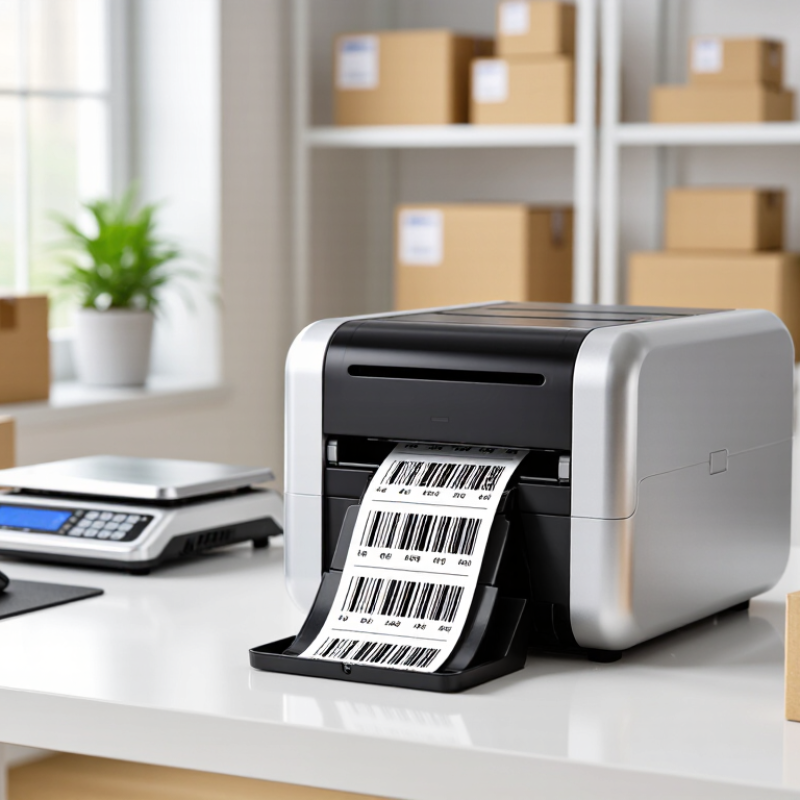
For a small business, a label printer turns product and shipping details into readable, consistent labels. It can help a home bakery mark ingredients and dates, or help an online shop prepare parcels during a busy afternoon. Small details matter. A smudged barcode or a label that peels in a cool storeroom can slow down routine work. Direct thermal printers use heat-sensitive labels and suit short-term uses such as shipping. Thermal transfer models use a ribbon, which can produce more durable labels for storage or handling. The right choice depends on what the label must withstand, not just the printer’s advertised speed.
Before buying, estimate how many labels you print on an ordinary day and check the label sizes and materials you actually need. A narrow counter may favor a compact unit, while frequent reprints make easy loading and clear controls more valuable. Check connection options, software compatibility, replacement media costs, and whether test labels remain sharp at your chosen print size. It is easy to overvalue speed. In practice, a printer that jams or wastes rolls may cost more time than a slower, dependable model. Test a sample on the real package or shelf; assumptions about adhesion are not always right.
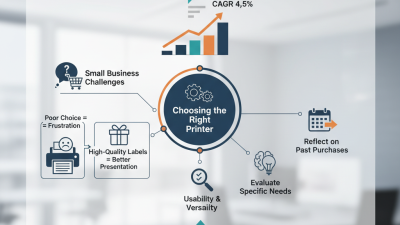
Common label-printing resolution classes range from 203 dpi for everyday labels to 600 dpi for fine details. Higher resolution can improve the clarity of small text and graphics, but the right choice depends on the label’s content and intended use.
These are common resolution classes, not limits for every printer. Resolution alone does not determine print speed or overall print quality.
For a small business, choosing a Chinese label printer manufacturer is less about glossy catalogs and more about consistent output. Ask for sample labels printed with your actual artwork, barcode size, and label stock. Check whether fine text stays sharp and whether barcodes scan after rubbing or brief handling. A sample matters. Product photos cannot show weak adhesion or uneven print density.
Compare supported label widths, print resolution, speed, and connection options against your daily workflow. Ask how the printer performs during a longer print run, not just a quick demonstration. Request clear specifications and written warranty terms. Also check which replacement parts are available and how technical support handles faults across time zones. A low purchase price may not be low-cost if a common component takes weeks to replace.
Manufacturer evaluation should include production consistency and communication quality. Ask whether sample units match normal production models, and request inspection records where available. Some answers may be vague; follow up with specific questions about testing and service response times. One awkward point: small buyers may have less negotiating power, so minimum order quantities and spare-part costs deserve attention. Do not assume every specification is independently verified. Compare claims with a hands-on test before placing a larger order.
China’s label printer manufacturers serve small businesses with distinct product specialties. Some focus on compact direct-thermal models for shipping labels, shelf tags, and daily order batches. These printers need no ink ribbon, which keeps routine setup simple. A roll of 100-by-150-millimeter labels is a common format for parcel work.
Other manufacturers build industrial thermal-transfer units for longer shifts and tougher labels. Their printers can handle ribbon, wider media, and higher print volumes, though they take more space. Color inkjet models suit product labels that need gradients or detailed graphics. Portable printers, meanwhile, help staff print shelf or asset labels beside the stockroom rack. A useful starting point.
For a small shop, matching the printer to the actual workflow matters more than choosing the fastest specification. Check supported label widths, connection options, driver compatibility, and the price of consumables. Ask for a sample print using your own label material; fine text can look sharp on paper but blur on textured stock. Product pages do not always reveal that difference. I would also verify local service access and replacement-part availability before ordering. Specifications can be incomplete, and supplier responses may vary, so a written confirmation is worth keeping.
An overview of common product specializations offered by Chinese label-printer manufacturers. Specifications below are typical market ranges, not guarantees for every model; confirm the exact configuration with the manufacturer.
| Manufacturer Profile | Product Specialty | Typical Technology and Specifications | Common Connectivity | Small-Business Applications | Useful Purchase Considerations |
|---|---|---|---|---|---|
| Desktop thermal label printer producer | Compact desktop printers for shipping, inventory, barcode, and product labels. | Direct thermal or thermal transfer; commonly 203 dpi, with some 300 dpi models; many desktop models support label widths around 4 inches (about 100 mm). | USB is common; Ethernet, serial, or wireless options depend on the model. | Online shops, retail counters, home-based businesses, and small warehouses. | Check supported label sizes, driver compatibility, print speed, and whether thermal-transfer printing is needed for longer-lasting labels. |
| Mobile label printer producer | Portable printers designed for on-the-go barcode, shelf, and shipping labels. | Usually direct thermal; compact models commonly print at 203 dpi and support narrower media than desktop printers. | USB and Bluetooth are common; Wi-Fi availability varies by model. | Market stalls, delivery operations, field services, and stock-taking tasks. | Compare battery capacity, device compatibility, supported label rolls, and the availability of replacement batteries. |
| Industrial label printer producer | Heavy-duty printers for continuous or high-volume barcode and logistics labeling. | Direct thermal and thermal transfer options; common resolutions include 203 and 300 dpi, with higher-resolution options available in some product lines; wider media support than desktop units. | USB and Ethernet are common; serial, Wi-Fi, or other interfaces may be optional. | Growing e-commerce businesses, distribution centers, and manufacturers with frequent label runs. | Assess daily print volume, printhead life, media capacity, maintenance access, and integration with warehouse software. |
| Color inkjet label printer producer | On-demand full-color product and packaging labels, including short-run designs. | Inkjet printing on compatible label media; advertised resolution and print performance vary substantially by model and media type. | USB and Ethernet are common; wireless connectivity is model-dependent. | Food, beverage, cosmetics, craft, and specialty-product businesses needing variable designs or color graphics. | Check ink cost, water and abrasion resistance, compatible substrates, finishing requirements, and the total cost per label. |
| OEM and private-label printer producer | Configurable printer platforms supplied for resale or integration into another company's product range. | Configurations may include desktop or industrial thermal printers, with resolution, print width, firmware, and casing options varying by project. | Interface options are configuration-dependent and may include USB, Ethernet, serial, or wireless connections. | Resellers, software providers, and businesses seeking customized equipment or bulk procurement. | Request sample units, written specifications, firmware and driver support details, quality-control terms, and warranty provisions. |
Note: Print resolution, media width, speed, connectivity, and supported label materials are model-specific. Verify current specifications and compliance documentation before purchasing.
Small businesses should match label printer type to the label material, daily volume, and work environment. Direct thermal printers use heat-sensitive stock and need no ink or ribbon, making them practical for short-lived shipping labels and receipts. They are simple to maintain. But heat, sunlight, and friction can fade labels, so they may not suit products stored for long periods. Thermal transfer printers use a ribbon, producing more durable labels for jars, bins, and inventory. The trade-off is another consumable to monitor.
Inkjet models can create colorful product labels, useful for small-batch packaging and shelf presentation. They may require compatible, often coated, label stock to resist smudging. For a busy packing table, check print speed, label width, connectivity, and whether the printer handles your preferred roll or fanfold format. A fast device is not automatically the best fit. Test your actual label design before buying; tiny text and dense barcodes can print poorly on narrow stock.
Shipping demand makes reliable output important. The U.S. Census Bureau reported that 2023 U.S. e-commerce sales reached $1.119 trillion, or 15.4% of retail sales. That figure signals substantial online order activity, but it does not predict any one shop’s workload. A home seller printing a few parcels daily may value low setup costs, while a growing warehouse may need faster printing and network sharing. I would still leave room for error: label waste, software setup, and replacement stock are easy to underestimate.
For a small business, choosing a label printer manufacturer is less about the lowest quote than the fit between equipment and daily work. Grand View Research estimated the global label printer market at USD 4.9 billion in 2023 and projected 5.4% annual growth through 2030. That expansion gives buyers options, but also makes specifications harder to compare. Start with label width, print volume, resolution, and media type. A shop printing small ingredient labels has different needs from a warehouse labeling cartons all day.
Ask manufacturers for sample prints using your actual label stock. Check barcode clarity, adhesive performance, setup time, and whether replacement parts are readily available. Small details matter. Request written warranty terms, operator training, and response times for technical support. Compare total ownership costs, including printheads, ribbons, shipping, and software—not only the machine price. Confirm that the printer works with your existing order or inventory system. A product sheet may look reassuring; it cannot show how staff will handle a jam during a busy shift. Test before ordering. I would also ask for a clear service contact, even if the supplier seems reliable today.